
Modern AI Code Assistants: Beyond LLMs to Autonomous Collaboration
FREEGartner projects 75% of engineers will use AI assistants by 2028, but a critical oversight could undermine this revolution: focusing solely on the underlying LLM instead of the intelligent system architecture that truly drives performance.
👤 Who this article is for
Senior developers, tech leads, and engineering managers evaluating tools like Copilot, Cursor, Windsurf, or Amazon Q Developer—and trying not to get lost in the “which model is better?” debate.
Why is the underlying LLM only half the story for AI code assistants?

Is your team stuck in the endless debate over whether GPT-4, Gemini 3, or some other new model is “better” for coding? While it feels like a critical question, this intense focus on the Large Language Model (LLM) is a dangerous distraction. It’s the biggest adoption trap engineering teams face over the next 18 months: choosing a tool based on its engine while ignoring the transmission, chassis, and steering—the system architecture that actually delivers power to the road.
A powerful LLM with poor integration is like a world-class chef forced to cook in a tiny, disorganized kitchen with dull knives. The raw potential is there, but the output will be mediocre. The same is true for AI assistants. An LLM that only sees the single file you have open is fundamentally handicapped. It can generate syntactically perfect code that is architecturally disastrous simply because it lacks the context of the entire project.
This isn't just a theoretical problem; it’s a daily frustration for developers. In many surveys and case studies, roughly two-thirds of developers say their AI coding assistants struggle with multi-file context, leading to incomplete or incorrect suggestions. The bottleneck isn't the LLM's intelligence; it's the assistant's inability to provide the model with a complete picture of your codebase.
Key takeaway: The true performance multiplier isn't the raw power of the LLM, but the system architecture that feeds it context. An AI-first editor that treats the entire codebase as its working memory will often beat a “bigger” LLM trapped in a simplistic, single-file plugin.
What defines an advanced AI code assistant beyond the LLM?

If a basic assistant is an LLM plugin, an advanced assistant is closer to a new operating system for your IDE. The defining shift is moving from AI as an add-on to an AI-first architecture, where the entire development environment is built to maximize the AI's awareness and capabilities. Instead of just reacting to the text in your active file, these systems treat your entire project—code, documentation, and even terminal outputs—as their working memory.
The power of full-project context
The most significant limitation of a raw LLM is its finite context window. No matter how large it is, you can’t pour a multi-million-line monorepo into it. That’s why so many developers report that traditional AI assistants struggle with multi-file context.
Advanced architectures solve this with sophisticated context management systems:
- Vector databases – The entire codebase is indexed and converted into a semantic representation, allowing the AI to find relevant functions and patterns across thousands of files quickly.
- Semantic retrieval – When you ask a question, the system doesn't just feed the LLM your prompt. It first performs a semantic search across the vector database to find the most relevant code snippets, API docs, and existing patterns, injecting this rich context into the LLM’s prompt.
This is the difference between asking a question to someone with amnesia versus an expert who has memorized every book in your library.
From text generation to tool execution
The second major architectural leap is empowering the LLM to act, not just talk. This is where architectures sometimes called Language Action Models (LAMs) come in. A LAM wraps an LLM with an interface layer, giving it the ability to use other tools—just like a human developer.
An advanced assistant with a LAM can:
- Run your test suite to validate its own code suggestions.
- Use the linter to check for style and basic safety violations.
- Interact with your version control system to understand recent changes and branch history.
Many teams also adopt a modular AI approach, using smaller, specialized models for specific tasks rather than relying on one monolithic LLM. This makes the assistant more efficient and capable of handling complex, multi-step workflows far beyond simple text generation.
A spectrum of assistants
You can think of today’s tools on a spectrum:
| Type of tool | Context scope | Actions & tools | Validation | Autonomy level |
|---|---|---|---|---|
| LLM plugin in your editor | Current file, maybe buffer | Suggests code only | None | Reactive helper |
| AI-aware assistant (Copilot, etc.) | Multi-file / project | Editor + repo search + some tests / linters | Limited, on demand | Guided collaborator |
| AI-first editor (Cursor, Windsurf) | Whole project + logs / docs | Deep project index, tool use, workflow orchestration | Integrated into flows | Proactive collaborator |
Key takeaway: An advanced AI code assistant is an integrated system. It combines a powerful LLM with a deep context engine and a tool-using action model, transforming it from a text generator into an active collaborator in your development workflow.
How do AI-first editor architectures handle full codebase context?

So, how does an assistant actually “see” your entire project? The secret isn't just a bigger LLM context window; it’s a smarter architecture.
AI-first editors like Windsurf or Cursor don't just passively read the file you have open. Instead, they proactively build a knowledge graph of your entire codebase. This graph maps everything: function definitions, class dependencies, API contracts, and even references in your documentation.
When you ask a question or write a line of code, the assistant doesn’t simply send that snippet to the LLM. It:
- Performs a semantic search across this internal graph to pull relevant context from anywhere in the project.
- Assembles a rich, dynamic prompt with the right code snippets, docs, and patterns.
- Uses the LLM to reason over that context and propose a change that fits your architecture.
In real-world teams, this architecture has enabled debugging workflows that were previously painful or impossible. For example, consider a large e-commerce platform chasing a race-condition bug that spans a React frontend, several Go microservices, and internal documentation. Traditional AI assistants are almost useless because the problem isn't in any single file; it's in the interaction between them. With an AI-first editor that has indexed the monorepo, docs, and even logs, engineers have reported tracing similar cross-cutting issues dramatically faster—sometimes in days instead of weeks.
Public case studies from tools like Cursor and Windsurf report double-digit improvements across key metrics such as:
- Time to understand unfamiliar parts of the codebase
- Debugging and feature development speed
- Code quality indicators in affected modules
The exact numbers vary by team and setup, but the pattern is consistent: the more context the assistant can see and reason over, the more value it delivers.
Key takeaway: The performance leap comes from an architecture that treats your entire project as its working memory. This full-context awareness is the real productivity multiplier, turning the AI from a fancy autocomplete into a genuine problem-solving partner.
What workflows and productivity gains do modern AI code assistants deliver?
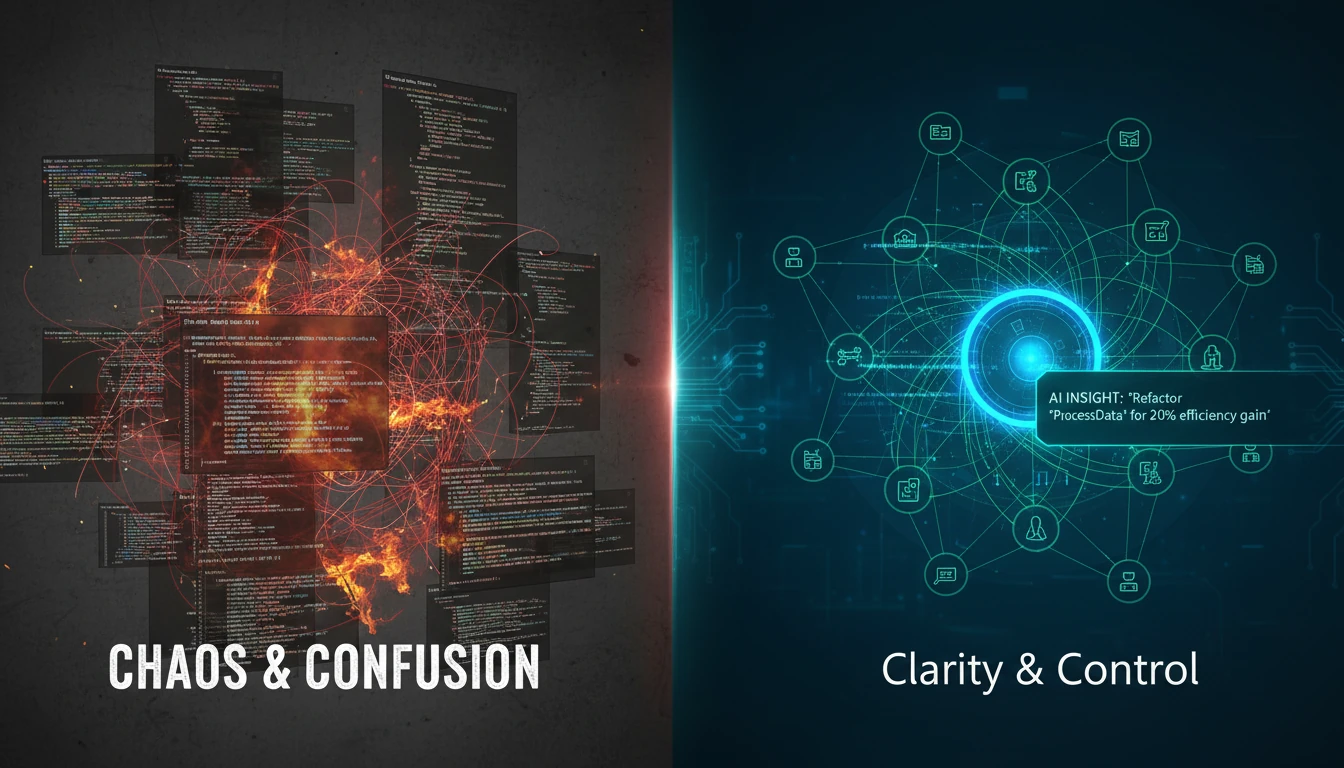
Imagine joining a new team and trying to get up to speed on a massive, unfamiliar codebase. How long does it typically take before you can contribute meaningfully? Days? Weeks? Now imagine an assistant that can instantly explain complex modules, trace data flows across services, and generate boilerplate code that matches the project's existing patterns. That’s the difference an architecturally-aware AI makes.
This isn't just about faster autocomplete. It’s about unlocking fundamentally better workflows:
Project-aware code generation
Instead of just completing a line, the assistant can generate entire functions or classes that correctly use internal APIs, respect existing design patterns, and import dependencies from across the project.Cross-file debugging
When a bug spans multiple files or microservices, traditional assistants are blind. With full-project context, AI assistants can follow the chain of calls and state transitions across services, dramatically reducing the time spent reproducing and isolating issues.Confident refactoring
An AI that understands the entire dependency tree can suggest and implement sweeping changes across dozens of files. Developers get higher confidence that renames, signature changes, or API migrations won't quietly break something three services away.
Teams experimenting with AI-first editors commonly report 30–40% improvements in metrics like mean time to resolution (MTTR) for complex bugs and meaningful increases in weekly code contributions. The exact numbers vary, but the direction is clear.
The real impact: These gains aren't just about writing code faster. By offloading the mental burden of context-gathering and manual debugging, architecturally-aware AI assistants free up developers to focus on what actually matters: high-level problem-solving and better system design.
How can engineering teams evaluate modern AI code assistants effectively?

As AI code assistants move from experiments to standard tooling, the choice you make in the next 18 months could define your team's productivity for years. If you're still evaluating tools based on the underlying LLM model number, you're in the adoption trap. The real performance multiplier is the system architecture.
To avoid getting locked into a low-performing ecosystem, ask these questions before you commit:
What is its contextual scope?
Does the assistant only see the current open file, or does it treat your entire codebase, documentation, and dependencies as its working memory? Test it on a bug that spans three different services and see if it can connect the dots.How deep is its toolchain integration?
A powerful assistant doesn't just live in the editor. Can it interpret failures from your CI/CD pipeline, use feedback from your linter to correct its own code, and interact with your version control system to understand commit history?Can it execute multi-step workflows?
Give it a complex task, not just a simple function to complete. Ask it to refactor a deprecated API across the entire project. Does it require constant hand-holding, or can it autonomously plan the changes, find all instances, write the new code, and generate tests?
Key takeaway: Don’t get dazzled by the LLM brand. Evaluate how well the assistant sees your system, uses your tools, and executes multi-step workflows. Architecture—not just the model—determines whether you get a helper or a true collaborator.
A Monday-morning playbook
To turn this from theory into action, you can:
Run one “deep” test on your current assistant
Pick a real cross-service bug or refactor and see how far your existing tool gets without manual babysitting.Shortlist tools by architecture, not model name
When vendors pitch you, insist on understanding context management, tool integration, and workflow support—not just which LLM they’ve wired in.Pilot an AI-first editor on one critical service
Start small: choose a service with real complexity and measure MTTR, onboarding time, and review burden before and after.
If you get this decision right, you’re not just buying faster autocomplete—you’re laying the groundwork for autonomous collaboration across your engineering organization.
References
- Google Launches Gemini 3 with Antigravity Platform for Multi-Agent AI Coding (AI Agent Store) - https://aiagentstore.ai/ai-agent-news/topic/coding/2025-11-25
- 10 Best AI Coding Assistant Tools in 2025 (Mor Software Blog) - https://morsoftware.com/blog/ai-coding-assistant-tools
- Best AI Coding Assistants as of November 2025 (Shakudo Blog) - https://www.shakudo.io/blog/best-ai-coding-assistants
- How AI Code Assistants Can Save 1,000 Years of Developer Time (DevOps.com) - https://devops.com/how-ai-code-assistants-can-save-1000-years-of-developer-time/
- AI Coding Assistants Don't Save Much Time, Says Software Engineer (The Register) - https://www.theregister.com/2025/11/14/ai_and_the_software_engineer/
- Windsurf: The AI-First Code Editor Revolutionizing Developer Productivity (Shuttle.dev Blog) - https://www.shuttle.dev/blog/2025/11/20/ai-coding-tools-for-developers