

Google AI Studio: A Practical Guide to Prototyping with the Gemini API
FREEDevelopers and product teams who want a hands-on, production-aware way to build with Gemini—fast prototyping in AI Studio, then a clear path to shipping and scaling.
A web-based playground to test Gemini models, prompts, safety settings, and tools—then export code to use the Gemini Developer API.
How to use Google AI Studio (without wasting time)
AI Studio is a prototyping cockpit—production readiness comes from tools + guardrails, and (often) Vertex AI.
Use AI Studio to prototype prompts fast, then click 'Get code' to ship via the Gemini API.
Turn on Tools for reliability: Structured Output (JSON Schema), Function Calling, and Search grounding.
Treat the free tier as experimental: rate limits change over time (visible in AI Studio) and free-tier content may be used to improve products.
Move to Vertex AI for enterprise controls (IAM, VPC, compliance, SLAs) and for supervised fine-tuning.
Google AI Studio: A Practical Guide to Prototyping with the Gemini API
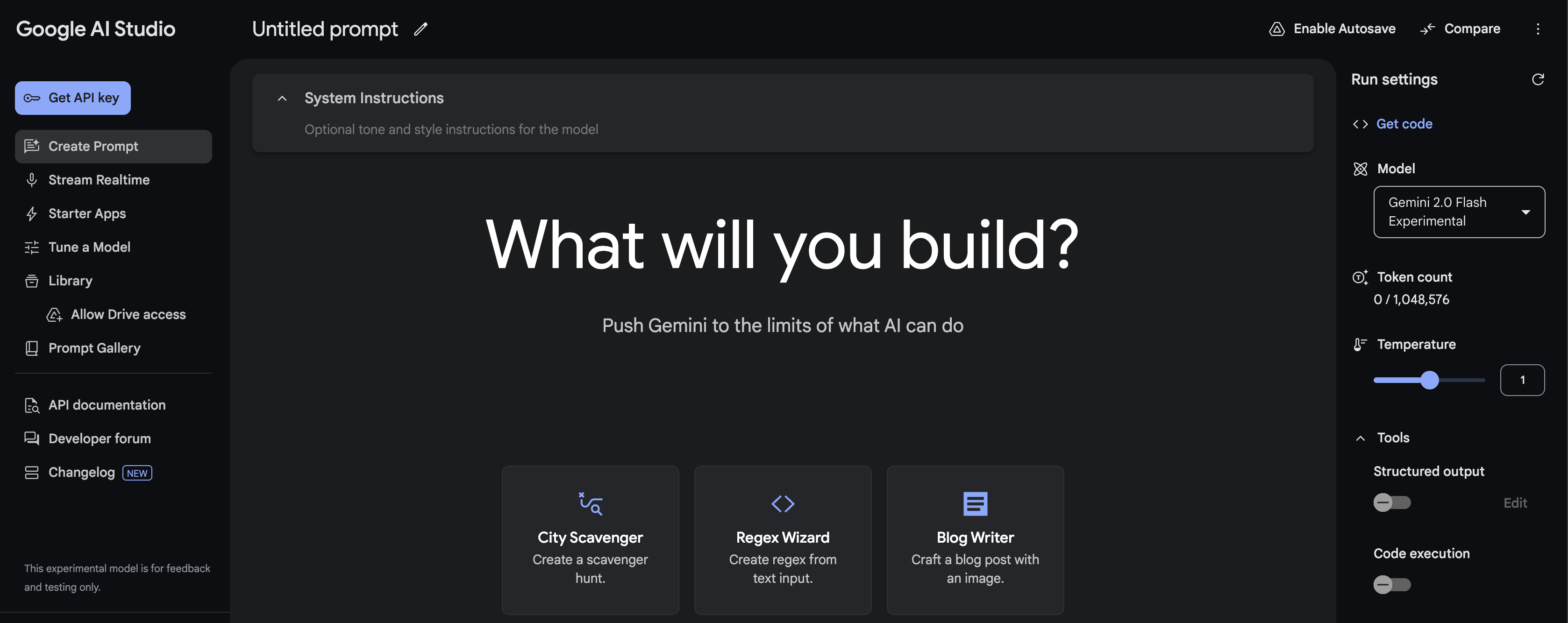
Answer in 30 seconds
Google AI Studio is the fastest way to prototype with Gemini: you try prompts, tweak run + safety settings, enable built-in tools (Structured Output / Function Calling / Search grounding / Code Execution), then click “Get code” to ship via the Gemini Developer API. [1]
If you’re building anything serious for an organization (IAM, VPC, compliance, SLAs, tuning), the clean path is: prototype in AI Studio → move to Vertex AI. [2]
For a broader rollout framework, use this enterprise roadmap for shipping GenAI safely.
What Google AI Studio is (and what it isn’t)
What it is
A web-based prototyping cockpit where you:
- test prompts quickly,
- configure generation + safety settings, [3]
- enable tools like Structured Output, Function Calling, Search grounding, and Code Execution.
Note: Gemini 3 supports combining Structured Outputs with built-in tools, but mixing built-in tools with custom function calling may be limited. [4] [16] - export code to integrate with the Gemini API (“Get code”). [1]
What it isn’t
- Not a full MLOps/deployment platform with enterprise networking and governance baked in.
- Not where you should assume HIPAA/SOC2-style enterprise compliance out of the box (that’s a Vertex AI concern). [2]
AI Studio vs Vertex AI in one decision table
| If you need… | Use AI Studio + Gemini Developer API | Use Vertex AI Gemini API |
|---|---|---|
| Fast prototyping + “Get code” | ✅ | ✅ |
| IAM auth, org controls, service accounts | ❌ | ✅ [2] |
| VPC / private endpoints | ❌ | ✅ [5] |
| Compliance controls + governance features | ❌ | ✅ [2] |
| SLA for online inference | ❌ | ✅ [6] |
| Supervised fine-tuning | ❌ | ✅ [7] |
If you’re a solo dev or early-stage team, start in AI Studio. When the app becomes “real” (users, privacy, incidents, compliance), graduate to Vertex AI. [8]
The 4 features that make AI Studio “production-aware”
1) Structured Output (JSON Schema): stop parsing text with regex
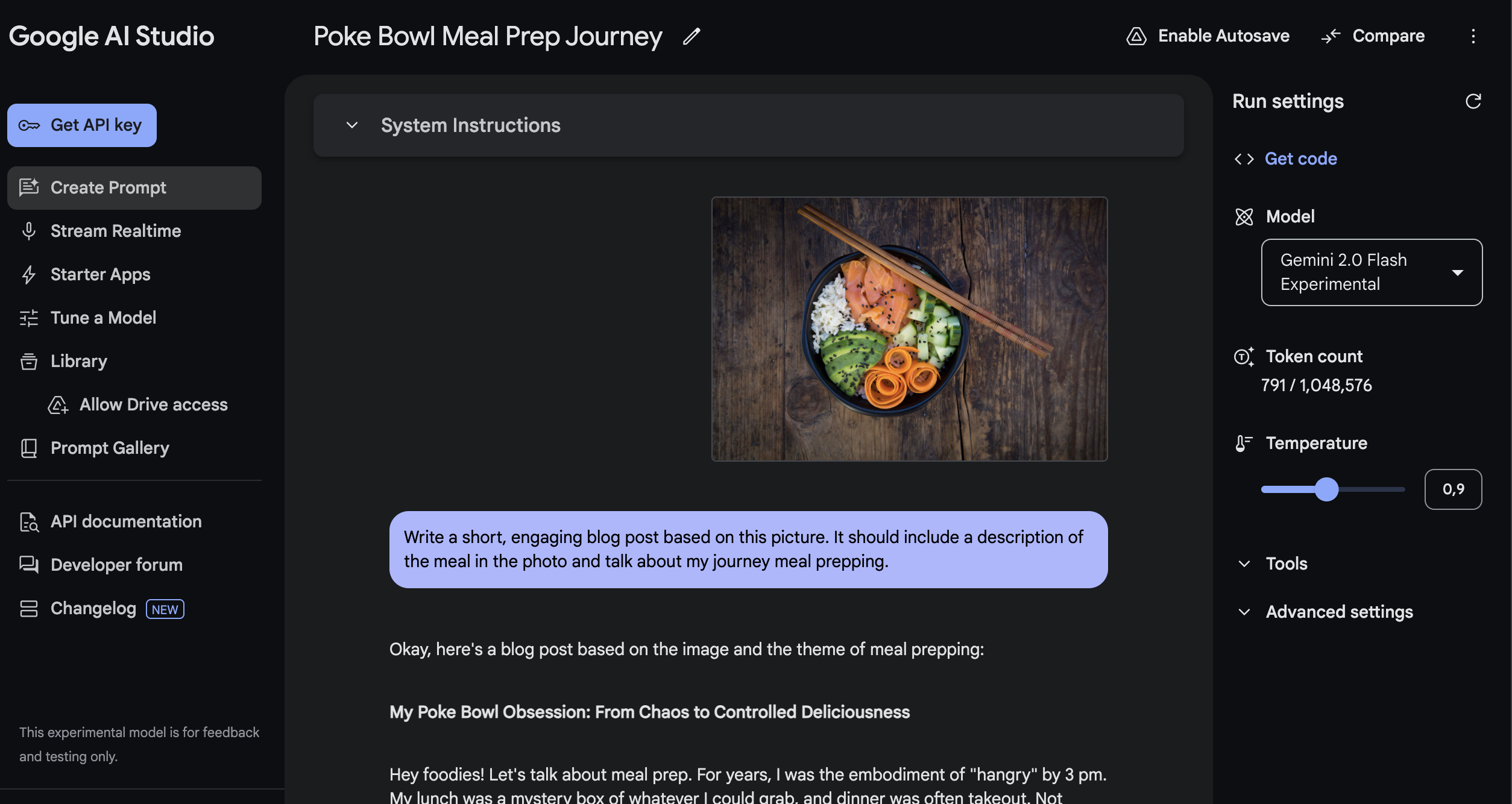
If your app needs reliable JSON, use Structured Output with a JSON Schema. This forces the model to return something you can validate with Pydantic/Zod instead of guessing. [4]
See also structured outputs, tokens, and reliability basics.
Best for:
- extraction (names, dates, entities),
- classification into fixed labels,
- tool-routing in agentic flows (and later, MCP, tool calling and agent interoperability). [4]
2) Function Calling: connect Gemini to real actions
Function calling lets the model return structured arguments to call your tools/APIs (CRM lookup, pricing, database queries, ticket creation). [9]
Why it matters: it turns a “chat demo” into an app that can do stuff while staying auditable.
For production hardening, pair this with prompt injection + untrusted tool inputs (guardrails).
3) Grounding with Google Search: freshness + citations
If your use case includes “recent changes” (policies, news, docs), Search grounding grounds answers in real-time info and can provide citations. [10]
For drift-aware review habits, see how to stay current (drift, snapshots, re-check workflows).
Rule of thumb: if your user could ask “is this up to date?”, grounding should be in your toolbox.
Pricing note: Grounding availability and quotas are model- and tier-dependent. The pricing table lists Free Tier grounding caps (for example, up to 500 RPD), and Paid Tier can include a free daily allowance (for example, 1,500 RPD) before pay-per-grounded-prompt pricing applies. [12]
4) Safety settings: prototype guardrails early
AI Studio makes it easy to adjust safety thresholds while prototyping. Don’t leave it to “later”: safety settings affect user experience (false positives) and risk profile (false negatives). [3]
Gemini 3 knobs in AI Studio (the 5 controls that actually matter)
If you’re prototyping with Gemini 3 in AI Studio, these parameters matter more than “tune temperature like old models”.
1) `thinking_level`: your latency/cost dial
Gemini 3 uses internal “thinking” by default. Use thinking_level to cap how much it thinks:
low: best for high-throughput chat, extraction, and routing- higher levels: better for complex reasoning/coding, but slower and costlier
Use it as your main trade-off knob for latency vs quality. [16]
2) Temperature: keep it at **1.0** for Gemini 3
Docs recommend leaving Gemini 3 at the default temperature = 1.0. Lowering it can cause unexpected behavior (including degraded performance), especially on reasoning-heavy tasks. [16]
Practical rule: for determinism, prefer schema/structured outputs, constraints, and validation over temperature tweaks.
3) Thought signatures (when you need traceability)
Gemini 3 introduces thought signatures for workflows where you need more control/traceability around thinking behavior (useful in agentic/debug contexts). [16]
4) “Structured outputs with tools” is **preview-only**
Combining Structured Output + built-in tools (Search grounding, URL context, Code Execution, File Search) is available only on Gemini 3 preview models. [4] [16]
5) Grounding billing counts tool queries
With Grounding with Google Search, billing can count each unique search query the model executes inside a request. [12] [10]
Default setup for production-aware prototyping
thinking_level = lowtemperature = 1.0- Structured Output ON (JSON Schema) for machine-consumed responses
- Enable grounding only when the user may ask “is this up to date?”
3 production-ready templates for AI Studio
Below are three “ready-to-ship” templates for common use cases: reliable extraction, grounded answers, and tool-based routing.
Template 1 — Reliable Extractor with JSON Schema
When to use: Parsing tickets, emails, or CRM notes into validatable output (no regex required).
In AI Studio (recommended toggles):
- Structured Output: ON (JSON Schema) [4]
- Gemini 3 (recommended): keep Temperature = 1.0 and control latency/cost with thinking_level = low. [16]
- (Optional, older models): low temperature can increase determinism, but prefer schema + validation over temperature tweaks. [17]
- Max output tokens: Low/Medium (since we only need JSON)
Gemini 3 run settings (practical defaults):
{
  "temperature": 1.0,
  "thinkingConfig": { "thinkingLevel": "low" }
}
System prompt:
You are a strict information extraction engine.
Rules:
- Output MUST be valid JSON that matches the provided schema.
- Do not include extra keys.
- If a field is not present in the input, set it to null.
- Never guess. Never fabricate.
- Keep strings short and factual.
User prompt:
Extract the following information from the text.

TEXT:
"""
{{PASTE_RAW_TEXT_HERE}}
"""

Return JSON only.
JSON Schema (Starter):
Note: Structured Output (JSON Schema) is supported by multiple Gemini models (including Gemini 2.5).
Preview note: “Structured outputs with tools” is currently available only on Gemini 3 series preview models (per docs). [4] [16]
{
  "type": "object",
  "required": ["customer_name", "request_type", "urgency", "summary", "action_items"],
  "properties": {
    "customer_name": { "type": ["string", "null"] },
    "request_type": { "type": ["string", "null"], "enum": ["bug", "billing", "feature_request", "account", "other", null] },
    "urgency": { "type": ["string", "null"], "enum": ["low", "medium", "high", "critical", null] },
    "summary": { "type": ["string", "null"], "maxLength": 240 },
    "action_items": {
      "type": "array",
      "items": { "type": "string", "maxLength": 120 },
      "maxItems": 8
    }
  },
  "additionalProperties": false
}
Why it works: Structured Output guarantees output that you can validate or fail deterministically, preventing the need for fragile string parsing.
Mini-eval (suggested):
Test with 10 real inputs (no sensitive data) and measure: % Valid JSON, % Correct Fields, False Positives, and Latency.
Template 2 — “Answer with Sources” (Search Grounding)
When to use: Tasks requiring fresh info, policy lookups, or “what changed” answers with citations.
In AI Studio:
- Grounding with Google Search: ON (for freshness + citations) [10]
- Structured Output: Optional (ON only if using compatible preview models)
Gemini 3 grounding gotcha (billing):
With Gemini 3, billing counts each search query the model executes inside a request (multiple searches in one call can become multiple billable tool uses). Older models are billed per prompt. [10] [16]
Gemini 3 run settings (practical defaults):
{
  "temperature": 1.0,
  "thinkingConfig": { "thinkingLevel": "low" }
}
System prompt:
You are a production assistant.
Rules:
- Prefer grounded facts over memorized knowledge.
- If you cannot find grounded evidence, say: "Not enough grounded evidence."
- Keep the final answer short, then provide evidence bullets.
- Include citations when grounding is enabled.
User prompt:
Question:
{{USER_QUESTION}}

Deliver:
1) Final answer (max 8 sentences)
2) Evidence bullets (3–6 bullets)
3) If there are trade-offs or uncertainty, add "Caveats" (max 3 bullets)
If you need machine-readable output (Gemini 3 Preview / Compatible models):
{
  "type": "object",
  "required": ["final_answer", "evidence", "caveats"],
  "properties": {
    "final_answer": { "type": "string", "maxLength": 1200 },
    "evidence": {
      "type": "array",
      "items": { "type": "string", "maxLength": 200 },
      "minItems": 2,
      "maxItems": 8
    },
    "caveats": {
      "type": "array",
      "items": { "type": "string", "maxLength": 180 },
      "maxItems": 5
    }
  },
  "additionalProperties": false
}
Evergreen Note: Grounding with Search is explicitly designed for real-time content and to provide verifiable citations—essential for trust.
Template 3 — Ticket Router (Function Calling)
When to use: Routing requests, creating tickets, fetching customer context, or building agentic workflows.
In AI Studio:
- Function calling: ON [9]
- Structured Output: ON (often useful for the “final response schema” on the last turn)
Gemini 3 run settings (practical defaults):
{
  "temperature": 1.0,
  "thinkingConfig": { "thinkingLevel": "low" }
}
Gemini 3 limitation (important): combining built-in tools (Search/URL/Code/File Search) with custom function calling in the same request is not yet supported. If you need both, use a two-step flow (for example: grounded retrieval call -> function-calling call). [16]
Tool Declarations:
Concept: Use Function Calling when the model needs to call external systems, and Structured Output when you just want the final result to follow a specific shape.
[
  {
    "name": "fetch_customer_context",
    "description": "Retrieve customer context from CRM.",
    "parameters": {
      "type": "object",
      "required": ["customer_id"],
      "properties": {
        "customer_id": { "type": "string" }
      }
    }
  },
  {
    "name": "create_ticket",
    "description": "Create a support ticket in the ticketing system.",
    "parameters": {
      "type": "object",
      "required": ["team", "priority", "subject", "summary", "tags"],
      "properties": {
        "team": { "type": "string", "enum": ["billing", "support", "engineering", "security"] },
        "priority": { "type": "string", "enum": ["low", "medium", "high", "critical"] },
        "subject": { "type": "string", "maxLength": 120 },
        "summary": { "type": "string", "maxLength": 500 },
        "customer_id": { "type": ["string", "null"] },
        "tags": { "type": "array", "items": { "type": "string", "maxLength": 30 }, "maxItems": 8 }
      }
    }
  }
]
System prompt:
You are a routing assistant for a product team.
Rules:
- Use tools when needed to complete the task.
- Never invent customer context or ticket IDs.
- Ask one clarifying question only if missing critical info.
- After tool calls, produce a short final response for the user + a structured routing summary.
User prompt (example):
Customer says:
"My invoices doubled this month. Also, the API started returning 429 errors since yesterday.
Customer ID: C-18402"

Task:
1) Route to the right team(s)
2) Create a ticket with an actionable summary
3) Return what you did
Why it is production-ready: The official flow is well-defined: define function declarations → call model → execute function with args → return result to model. [9]
Cheat Sheet: Structured Output vs Function Calling
| Feature | Best For... |
|---|---|
| Structured Output [4] | Getting the final response in a specific schema (e.g., for UI rendering, parsing, automation). |
| Function Calling [9] | Letting the model take an intermediate step to interact with external tools/APIs (e.g., database lookup, API action). |
Pricing, free tier, and the two gotchas people miss
1) “AI Studio is free” ≠ “your app is free”
AI Studio can remain free unless you link a paid API key to access paid features; when a paid key is linked, AI Studio usage for that key becomes billable. [11]
But your production costs are still driven by:
- Gemini API pricing tiers,
- token usage,
- features like grounding. [12]
- architecture choices (routing, retries, fallback design), as explained in cost is mostly architecture (not token price).
2) Free-tier data usage policy differs from paid
The official pricing page distinguishes data usage:
- Free tier: “Used to improve our products: Yes”
- Paid tier: “Used to improve our products: No” [12]
Practical takeaway: free tier is great for experimentation, but treat it as not suitable for sensitive prompts.
Rate limits change—check inside AI Studio
Rate limits depend on tier and account status and can be viewed directly in AI Studio. [13]
AI Studio → Vertex AI migration path
This is the path for scaling from prototype to enterprise application. Knowing when to switch is as important as knowing how.
Step 0 — Prototype in AI Studio
- Test prompts, tune settings, and validate ideas.
- Click “Get code” to export snippets and integrate via the Gemini API. [1]
- Privacy check: Keep sensitive production data out of Free Tier prompts.
Step 1 — Ship via Gemini Developer API (Baseline Production)
- Integrate the exported code into your repo.
- Add prompt versioning, a test set, logging, and retry/backoff logic.
- Monitor your rate limits directly in AI Studio. [13]
Step 2 — Pricing & Privacy Gate
- The pricing page makes a critical distinction:
- Free Tier: "Content used to improve our products: Yes"
- Paid Tier: "Content used to improve our products: No" [12]
- To enable the privacy guarantees of the Paid Tier, use the official “Set up billing” flow in AI Studio. [11]
Step 3 — Decide when to move to Vertex AI
Move to Vertex AI when you need:
- Enterprise Controls: IAM, service accounts, organization-level governance. [8]
- Private Connectivity: VPC, Private Endpoints, or Private Service Connect. [5]
- SLAs: Guaranteed uptime (e.g., for online inference). [6]
- Advanced Tuning: Supervised fine-tuning via Vertex AI. [7]
Step 4 — Migration Mechanics (Zero Drama)
Migration is simplified by the unified Google GenAI SDK:
- Prototype fast in AI Studio.
- Ship using the unified SDK.
- Switch backend to Vertex AI by changing initialization usage (from API key to Vertex AI auth) when you need enterprise controls. [8]
Production checklist (the “boring” part that saves launches)
Make outputs machine-checkable
Use Structured Output for any response your code consumes. [4]Plan for freshness and citations
If correctness matters, use grounding and show sources. [10]Log tool calls and failure modes
When you use function calling, log:
- tool name,
- arguments,
- tool result,
- model retry decisions.
- Threat model prompt injection
If you’re doing RAG / web / docs:
- treat retrieved text as untrusted,
- separate “data” from “instructions” in your system design,
- adopt a RAG reference architecture (router-first) for production and prompt injection + untrusted tool inputs (guardrails).
- Graduate to Vertex AI when risk rises
If you need enterprise controls (IAM, VPC, compliance, SLAs), Vertex AI is the right surface. [2]
FAQ
Is Google AI Studio free?
AI Studio can stay free for prototyping, but usage becomes billable when you connect and use paid-tier API keys/features, according to Google’s billing docs. [11]
However, paid usage applies when you use paid-tier API keys/features, and Gemini API usage/features depend on model tier and pricing. [11] [12]
Can I fine-tune Gemini in Google AI Studio?
Not via the Gemini API right now: Google states there’s currently no model available for fine-tuning in the Gemini API (after a May 2025 deprecation). [14]
Fine-tuning is supported in Vertex AI via supervised tuning. [7]
What’s the difference between AI Studio and Vertex AI?
AI Studio is the fastest way to prototype with Gemini and export code. [1]
Vertex AI adds enterprise controls (IAM, VPC/private endpoints, compliance/governance, SLAs) and supports tuning. [2]
Where do I see my rate limits?
Google’s rate-limit docs say limits vary by tier/account status and can be viewed in Google AI Studio. [13]
- Google AI Studio quickstart | Gemini API
- Migrate from Google AI Studio to Vertex AI
- Safety settings | Gemini API - Google AI for Developers
- Structured outputs | Gemini API - Google AI for Developers
- Use private services access endpoints for online inference
- Gemini On Vertex Service Level Agreement Sla
- Tune Gemini models by using supervised fine-tuning
- Gemini Developer API v.s. Vertex AI
- Function calling with the Gemini API | Google AI for Developers
- Grounding with Google Search | Gemini API
- Billing | Gemini API - Google AI for Developers
- Gemini Developer API pricing
- Rate limits | Gemini API - Google AI for Developers
- Fine-tuning with the Gemini API - Google AI for Developers
- Using Tools & Agents with Gemini API
- Gemini 3 Developer Guide (thinking_level, tool limitations, temperature guidance)
- Text generation (Gemini 3 temperature: keep default 1.0)
You’re exploring prompts or building a prototype
Use AI Studio + Gemini Developer API for speed.
You need enterprise security/compliance, private networking, or SLAs
Use Vertex AI Gemini API.
You need fine-tuning
Use Vertex AI supervised tuning (Gemini API fine-tuning isn’t available right now).
Updates: Updated on Feb 23, 2026 • v1.4ShowHide
- Updated Extractor, Grounded, and Ticket Router templates with Gemini 3-safe run settings.
- Added grounding billing caveat for Gemini 3 (query-level tool billing behavior).
- Added explicit two-step workaround for built-in tools plus custom function-calling limitation.
Older updates
- Added a focused section on Gemini 3 controls: thinking_level, temperature guidance, thought signatures, tool-preview constraints, and grounding billing behavior.
- Aligned defaults for production-aware prototyping with Gemini 3 recommendations.
- Replaced generic tool-combination wording with explicit Gemini 3 limitation notes.
- Updated extraction template guidance to prefer temperature 1.0 + thinking_level tuning for Gemini 3.
- Added Gemini 3 Developer Guide as a direct source for tool-mixing and generation-setting caveats.
- Refined billing/grounding wording for model-tier dependence and paid-key billing behavior.
- Clarified preview constraints for structured outputs with tools (Gemini 3 series preview models).
- Added contextual internal links for roadmap, architecture-cost framing, security guardrails, RAG routing, and interoperability.
- Published the first practical guide to prototyping with Google AI Studio and Gemini API.